

 Landing page for your event
Create your own unique hall
Sale of lots on the development plan
Examples and templates
Free and with no redirects
Event catalog for your website
Manage requests easily and clearly
Timing, speakers, voting
Landing page for your event
Create your own unique hall
Sale of lots on the development plan
Examples and templates
Free and with no redirects
Event catalog for your website
Manage requests easily and clearly
Timing, speakers, voting
Forget about entrance queues. Register attendees in 2 seconds Professional attendee registration system for electronic event registration of any scale. Scan QR tickets, instantly print badges, and track arrival statistics in real time - even without a stable internet connection.
We studied hundreds of events. Here are four fears that keep organizers awake - and how our software helps you solve them
Slow badge distribution. Searching for a prepared badge in boxes can take several minutes per person. Paper lists are often not sorted and do not include the latest updates.
Real-time database. All guest registrations automatically appear in the check-in database. Updates are synchronized simultaneously across all host computers after organizer actions.
Most venues - from Bali to the UAE and Turkish hotels - have unstable Wi-Fi under heavy load. If your system depends on the internet, the event is at risk. Excel files freeze, and volunteers manually search for guests on paper lists.
The software works in hybrid (offline) mode: the database is stored locally, and scanning and printing do not depend on the network. When the internet connection returns - automatic synchronization starts.
Sending a specialist to Dubai or London just to configure software for one day is expensive, time-consuming, and inefficient - especially when an event happens only once a year.
Remote setup: our specialist connects to your equipment online and configures everything - software, printers, zones, and sticker templates. No business trip required.
Takes 1–3 hours. You pay for the software, not for a flight from Kyiv to Dubai.
We often see organizers who don't know how many people actually attended previous events. Without statistics, future event planning and forecasting become difficult.
Detailed real-time data: You can stand backstage and see everything in real time (available on your smartphone): 1,486 of 3,820 guests are already inside. Peak arrival - in 12 minutes. Should we start the speaker session? After the event, you can view exactly who arrived, when they arrived, and who did not attend.
The guest registration system is most often ordered by organizers who bring their events to these regions
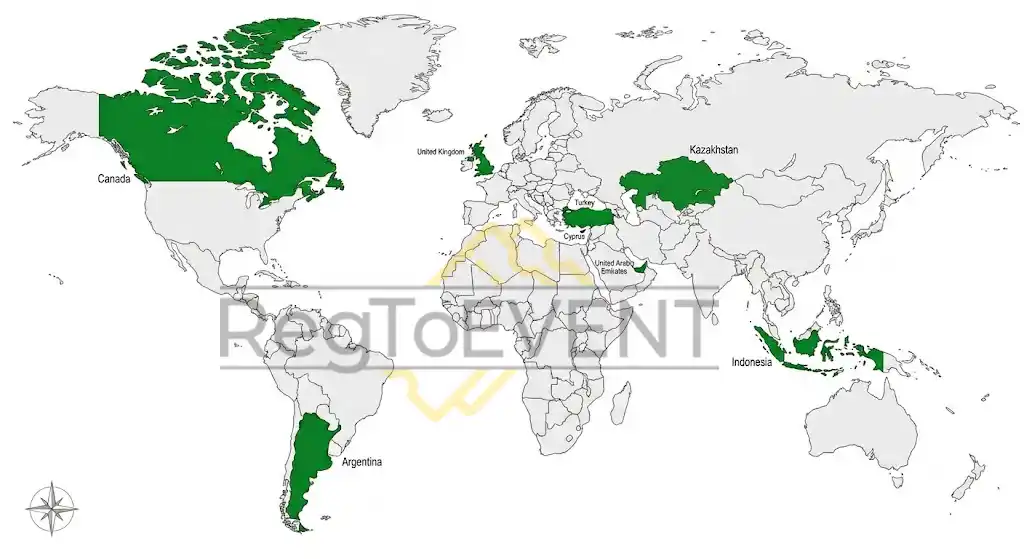
 United Kingdom
 Turkey
 Cyprus
 UAE
UAE Indonesia
 Argentina
 Canada
 Kazakhstan
Our event automatic registration software is designed for organizers who manage registration themselves
You bring your own equipment to the venue - scanners, printers, laptops. There is no local internet connection. You need a system that works autonomously and won't fail before 1,000 guests.
offline check-in abroadYou already have thermal printers, tablets, and scanners. You are looking for a guest registration app that will combine everything into a reliable system with analytics and check-in zones.
attendee registration softwareSales went through Eventbrite, Ticketmaster, Luma, your own website, and Telegram. You need a unified QR ticket aggregation system that combines all databases without conflicts.
ticket aggregation from different servicesYou want hosts to welcome guests without seeing the participant list. Hidden mode solves this task: staff scan tickets, but never get access to the database.
guest database protection from staffAn event in Dubai - and you don't want to pay for a business trip. We configure the software remotely: printers, zones, and sticker templates - without your involvement and without traveling to your city.
remote check-in system setupA complete toolkit for professional event attendee registration automation
Scan QR tickets using any Android or iOS camera. No special scanners required - host smartphones are enough. Works with both printed tickets and screens.
ScanningEventbrite, Ticketmaster, Luma, Google Forms, CSV, CRM - all databases are combined into one system. Duplicates are removed and QR codes of any format are correctly recognized.
AggregationEach QR code works exactly once. A repeated scan on any device triggers an instant warning. Works in real time in hybrid mode.
SecurityThe software works on all three platforms. Mix devices: one operator on a Windows laptop, hosts on Android and iPhone. Everything stays synchronized in one database.
PlatformsPersonalized badge stickers print directly from an Android tablet or Windows laptop. Thermal printers connect via Wi-Fi (wirelessly) or USB cable.
PrintingFrom QR scanning to receiving a personalized sticker with name, access zone, and QR code - 1.9 seconds. Critical for flows of 300+ guests at the entrance.
Speed100% offline: scanning, printing, statistics - everything works without Wi-Fi or mobile internet. Essential for remote events.
OfflineTake a participant photo directly at the entrance - the image can be printed on the sticker or saved in the database. Via webcam or tablet camera. Perfect for photo badges.
PhotoGeneral, VIP, Backstage, Press - each scanning point filters guests by ticket type. Hosts see only their assigned guests. Zone statistics are available separately.
ZonesGuest flows, registration peaks, and zone statistics - available in real time directly on your smartphone. Charts update live across all entry points.
AnalyticsIn hidden mode, staff only see "allow / deny" - no guest list access, no database search, no screenshots. Protection against personal data leaks.
SecurityGuest not found in the database? Add them directly at the entrance: enter details - sticker ready. Works in hybrid mode. Data synchronizes automatically when the network returns.
ManagementEdit information during check-in: name, ticket type, zone, comments. The operator has full control over the guest card without restarting the system.
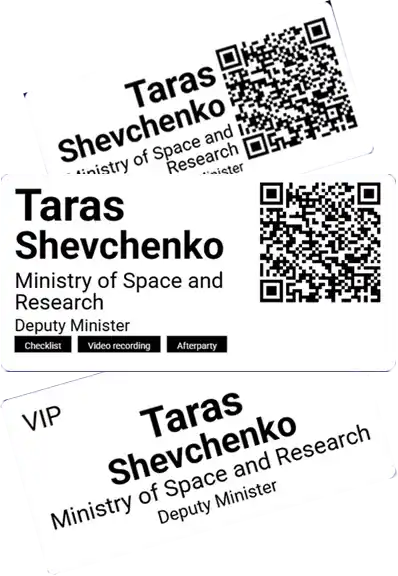
CRMCustomize templates for your event: size, font, QR position, fields, and logo. Choose ready-made designs and adapt them to your event format.
DesignDifferent sticker designs for different ticket types: VIP - gold background, General - white, Press - blue. The system automatically selects the correct template during scanning.
CategoriesFull-screen host mode, self-service kiosk, scan-only mode. Automated workflows speed up operations - hosts do not need extra clicks.
DevicesVerification mode for security staff: guest photo, access zone, and entry history are visible. Security sees maximum information without access to the full database.
SecurityPrintServer mode: 10 hosts scan tickets on their tablets, while all stickers print on one central printer. Saves equipment without losing speed.
InfrastructureCoupons for limited services - VIP zones, catering, merchandise, sessions. Each coupon is scanned and deducted from the database. Prevents duplicates and fraud.
ControlHidden mode + zones + PrintServer + offline + analytics + coupons = corporate event-level system. On your equipment, without our specialists traveling.
Full toolkitStore assigned item numbers in the participant card: voting devices, headsets, or certificate numbers issued to the guest.
Tracking4 key check-in moments - from scanning to sticker printing
Any smartphone becomes a scanner. The camera reads the ticket QR code - the system instantly verifies the guest in the database and prints a sticker.
A personalized badge sticker comes out of the thermal printer in 1.9 seconds. Name, role, access zone, and QR code - everything in one sticker.
Interactive dashboard - registration peaks, zone statistics, and guest flow speed. Everything is available on your smartphone during the event.
Any iPhone or Android device turns into a professional QR ticket scanner. No need to buy special equipment.
Contact us today - your system will already be configured for next week's event
Excel file or direct import from platforms. We aggregate data from all sales sources into a single database - with duplicate removal.
A RegToEVENT specialist connects to your device online - installs the software, configures printers, zones, and sticker templates. No on-site visit required.
We test scanning, printing, synchronization, and offline mode. Any issues are resolved before the event day - without rushing.
Hosts work with a fully configured system. You monitor real-time analytics directly from your phone.
Customize your template directly in the browser: size, font, fields, QR code, logo. Explore hundreds of ready-made badge designs for inspiration.
Event in Dubai, Bali, or London? Our specialist will configure the software on your equipment online - printers, zones, and stickers. No business trips, no additional expenses. Takes 1–3 hours.
Contact a specialist →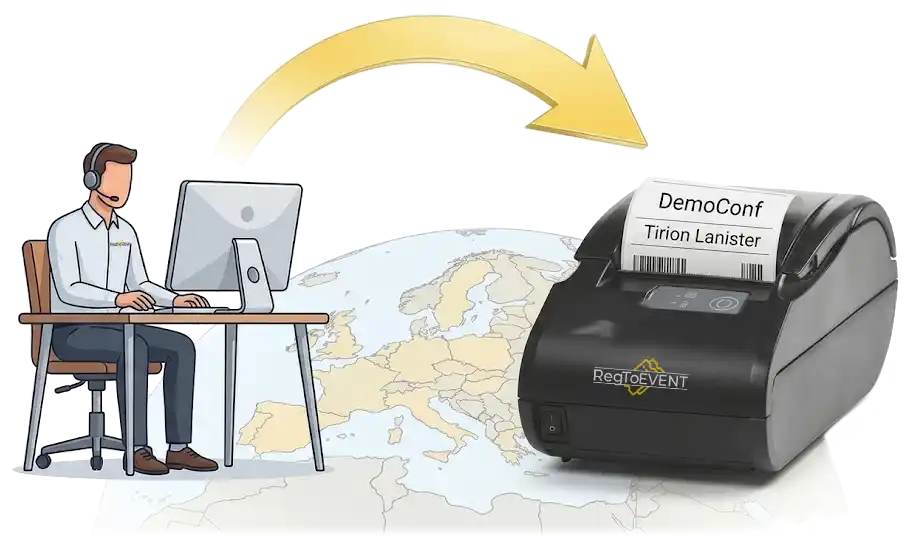
Printing speed of a personalized sticker from QR scanning to badge delivery
Registered through our system at events worldwide
Maximum guest flow processed by the system during a single event day
Ticket platforms supported by our QR-code aggregation system
What organizers ask most often before implementing an electronic guest registration system
Yes, completely autonomously. The software works in offline mode: the guest database is stored locally, QR code scanning and sticker printing do not depend on Wi-Fi. This is critical for international events. When the connection is restored, data is automatically synchronized between all devices. Internet is only required during the initial service loading, when the main components and database are downloaded.
The software supports Windows, Android, and iOS. The CRM part works on Windows. Scanners can be Android or iOS smartphones/tablets. Printers connect via Wi-Fi or USB. Devices with different operating systems can be combined within one network.
Yes. The aggregation feature combines databases from Eventbrite, Ticketmaster, Peatix, Google Forms, Excel, and any CRM - 99% of services. All databases are merged into one system, duplicates are removed, and QR codes of any format are recognized correctly.
After the first scan, the QR code is marked as "used" across the entire synchronized database. A repeated attempt on any device immediately shows a warning to the hostess. It works in offline mode without delays.
No. Our specialist configures the software remotely: connects to your device online, installs the software, configures printers, zones, and templates. No travel to your city is required. Setup takes 1–3 hours.
The number of devices is unlimited. Connect 3, 10, or 50 smartphones/tablets - all work in a single synchronized database in real time. PrintServer mode allows them to use one printer.
PrintServer is a mode where one thermal printer serves multiple scanning points. Hostesses scan tickets on tablets, while stickers are printed on a central printer. Ideal for 5+ registration desks - no separate printer is needed for each one.
In hidden mode, hostesses only see "allow / deny" - without access to the guest list, database search, or the ability to take screenshots. Technically, copying the participant database is impossible. Personal data is protected from temporary staff.
The operator can add a guest directly during check-in: enter the name, participation type, and immediately print a sticker. Works in online mode. Data synchronizes when the connection is restored. The whole process takes 15–30 seconds.
1.9 seconds - from QR-code scanning to receiving a personalized sticker badge. Thermal printers from different manufacturers are supported. When using PrintServer, the speed may slightly decrease depending on the workload.
In theory, yes. In practice, most Chinese-made thermal printers do not have drivers for modern MacBooks. USB-B to USB-C cables are rarely available. Adapters often cause connection issues. Zebra printers have drivers for Mac.
Write to us - and we will configure the system remotely within 1–3 days.
Your equipment. Our system. No business trips.


