Google form or special service - Which service to choose for registering participants for an event
What Google Forms Can Do and What It Can Be Compared To
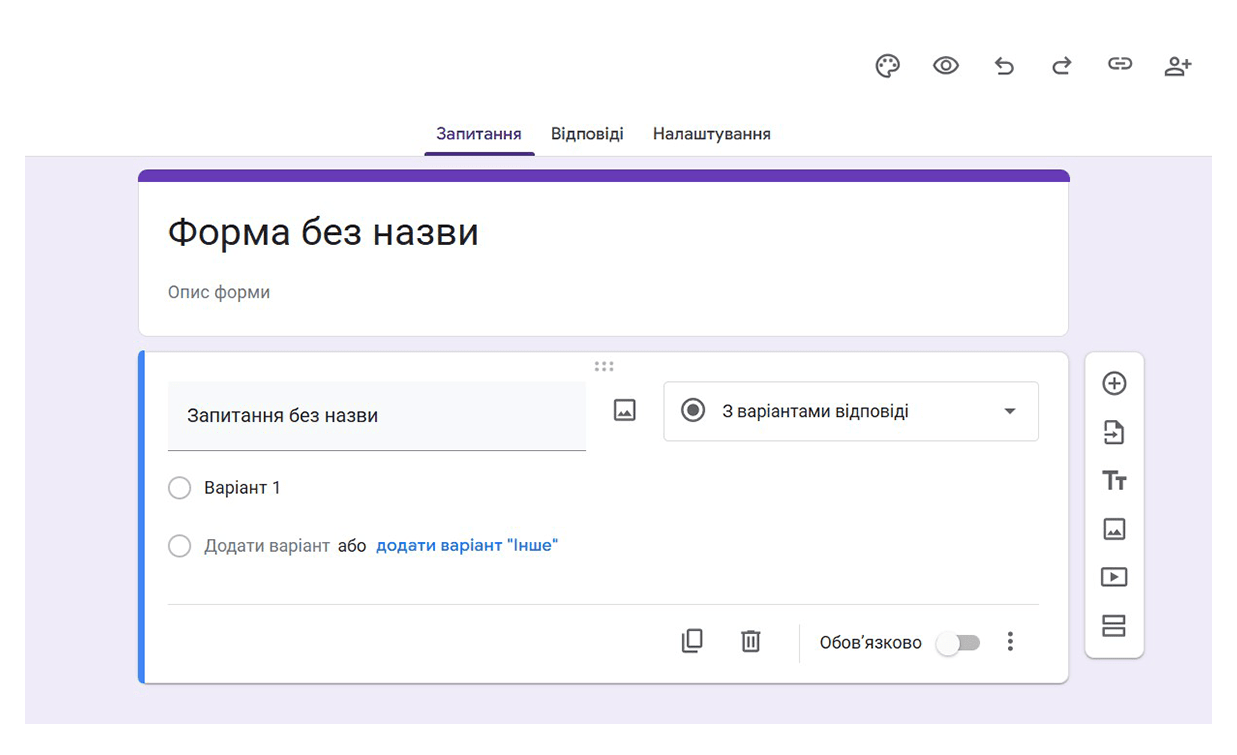
Google Form for event registration is often used by event organizers. Compared to other “older”
methods, it is much more convenient. Some organizers still do this by recording participant data over the
phone, while others try to find emails in a huge inbox where people ask to be registered. This is very slow
and inconvenient.
Google event registration allows the organizer to create a questionnaire with the necessary set of
fields. They choose the number of fields and which ones are required or optional. The link to the Google
Form is then placed on the website and in announcements. Since the URL for Google form for participant
registration can be very long, it is shortened to avoid cluttering the announcement texts. The data
entered by participants is stored in a spreadsheet, which is much more convenient than deciphering scribbles
from a secretary recorded by phone. Moreover, you cannot collect a lot of data by phone or email at once,
but here the participant is required to fill out the Google form fields for event registration,
otherwise they won’t be registered. This way, they enter their correct full name, email, phone, and other
details themselves.
What the organizer actually gets by using Google Forms as a lead collection method for their events:
-
Flexible field configuration and easy link publication;
-
All responses are collected in a spreadsheet – convenient for initial accounting;
-
Compared to phone registration or collecting requests via email or messengers, Google
Form is clearly a step forward;
But this is only the basic level of digitalization, without process automation. So, essentially, this
is where the capabilities of Google Forms end…
Where Google Form “Breaks”: Manual Payment Processing
Google event registration is convenient only for collecting information compared to other manual
methods. Once all participant data is in a sheet, you have to process it manually! For this, you need a
dedicated person to monitor data entry in the sheet and handle all potential event registrations. If
the event is free, it’s simpler – everyone who registered left their data, and you just wait for them.
However, experience shows that if someone didn’t pay anything for a ticket, the value of attending is low, and
they may not show up. For paid events, Google Forms registers participants but does not interact with
them. You have to call or email each participant separately, confirm receipt of their data, and send payment
details. Then you need confirmation of payment from the participant, usually via screenshot, an email
specifying payment time and amount, or a callback. Sometimes organizers try to track payments themselves, but
it’s tricky to know who paid for whom, because payer ≠ participant.
Why the idea of making registration convenient using Google Forms hits a dead end:
-
All operations after data collection are manual;
-
For paid events, a long chain of emails and calls with payment details and confirmations begins;
-
High labor costs and risk of losing registrations or payments.
Why Automation and a “Billing Chain” Are Needed
If you know the bottlenecks in advance, you understand that a Google form for event registration will
not fully simplify the registration process. It won’t send payment details to the participant, redirect them
to the payment page, accept money, or deliver the event ticket. If you want to minimize your
involvement so that online participant registration doesn’t take up all your time (because organizing
events requires full dedication and takes not only work but sometimes personal time), it’s better to use a
service that allows automating participant registration. This saves valuable time and reduces costs for
staff who previously processed all requests manually: sorting registrations, sending payment details, tracking
payments, etc.
Remember:
What a Ticketing Operator Offers Compared to Google Forms
By using a ticketing operator, you get automatic participant registration, payment processing for tickets,
and ticket generation, as well as a set of additional useful features. Meanwhile, Google event
registration lacks all of this. It removes the human factor: you don’t need to think about who
registered and when, nor worry about collecting and tracking payments. If someone sees an event advertisement
and wants to attend, they visit the site, register, and immediately buy a ticket. If this option isn’t
available, by the time you call or send payment details via email, they might change their mind or make other
plans for that day. Additionally, organizers often forget that the data in the sheet still needs to be stored
somewhere and access controlled. Since the service is public and free, you shouldn’t rely on its security. If
multiple staff need access, data protection becomes an issue.
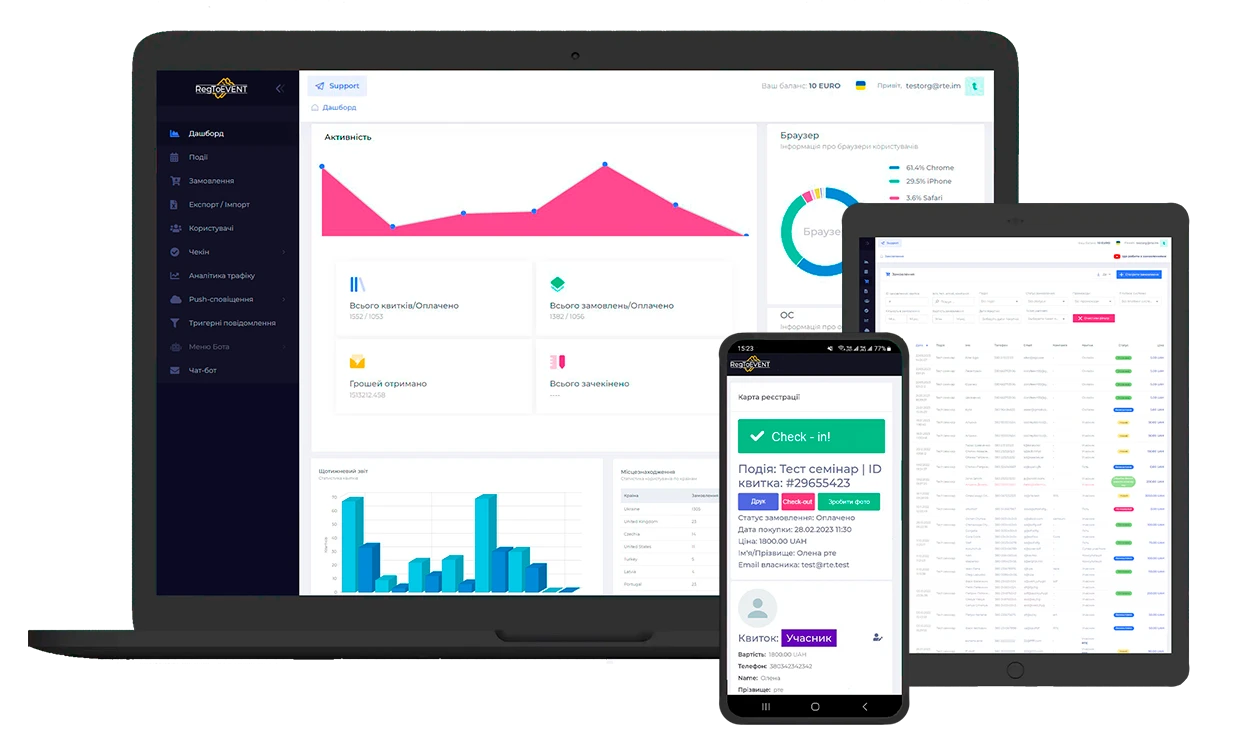
RegToEVENT is superior to Google event registration. If organizers actually accounted for the cost of
processing completed Google Forms, including the salary of a dedicated employee, their workspace, and taxes,
they would realize these costs are comparable, and often higher than the service fee for event registration.
So, the “free” Google Form requires paid manual work.
Meanwhile, a commission-based service is often cheaper than total operational costs, and additionally:
-
Registration, payment, and tickets are handled automatically.
-
Human error is reduced and data leakage risk minimized.
-
Conversion is higher when the “see – buy” path is uninterrupted.
Flexible Monetization and Promo Tools in RegToEVENT
In addition to the basic registration features, the RegToEVENT service allows you to send additional
communications to participants, flexibly set ticket prices, increase costs depending on the date or number of
tickets already sold. You can immediately apply various discount codes or complex discounts based on the
number of tickets in a single order.
Now think: can Google Forms for event registration provide this? The answer is obvious – no. It cannot
even place an order for multiple participants at once. If someone wants to buy tickets for themselves and
colleagues, they will clearly not fill out the form but will instead call or write to you, distracting your
staff and trying to handle it outside the form. That costs time and attention that you or your team could
spend more productively.
Payment Tracking and Entry Control – Risk of Errors
Google event registration does not automatically mark payment status in its table; you have to do this
manually or transfer data to another table. As a result, you end up maintaining two tables and transferring
registrations back and forth, hoping not to miss anyone.
Google Sheets for participant registration will not generate or send tickets. Controlling who actually
attended – whether they paid, came alone, or if five people came under one name – is very difficult when
sending manual emails like "Thank you, please attend…". Checking everyone against lists takes a long time, and
you risk creating huge lines at the entrance.
How RegToEVENT Solves Access Control
Participant registration with RegToEVENT protects against such problems. The service immediately
generates a ticket for the participant after registration or payment (for paid events), and each ticket has
security features that allow scanning at the entrance and prevent reuse.
Free Events: When “Free” Means More Features
Moreover, the service is free for free events, but compared to Google Forms, it offers many more features and
benefits.
To summarize, is Google Form suitable for participant registration:
-
Google Forms is suitable for basic data collection, but not for full registration and ticket sales.
-
The same person can submit the form multiple times, whereas a ticket service easily prevents duplicate
contacts.
-
The page includes Google’s standard data processing agreement, but the organizer cannot add their own public
terms, rules, or policies.
-
There is no validation of form fields; users could enter random characters instead of a phone number, and
the form will accept it.
-
For paid events without automation, costs increase, conversion drops, and lines form at the entrance.
-
After saving participant data in the table, the organizer must contact them separately and send payment
details.
-
After payment, the participant must send confirmation (screenshot, receipt, etc.) – not always convenient.
-
If no confirmation is received, the organizer must manually track whose payment it is and match it with
registrations.
-
If multiple registrations and payments exist for the same name, it’s hard to know who they intended to pay
for and who will actually attend.
-
After verifying payment, the organizer must send confirmation that payment was received – another
time-consuming task or even manual ticket creation.
-
Participants arriving without tickets require staff to manually search the Google Sheet to mark attendance
or confirm entry rights.
-
Even if a ticket was sent, it may lack distinguishing features for quick scanning and verification.
Meanwhile, RegToEVENT covers the entire cycle:
registration → payment → ticket → communications → access control
Connect RegToEVENT, set up ticket types
and automated emails - and free your time for content and the atmosphere of your event